
Start selling vinyl skins today
Skip building templates from scratch — get cut-ready vector files tested on real cutters, for 2,500+ devices.
Read this blog on your favourite platform
Easily paste Vinyl Skin on Large Device using this Technique
The film with strong gum can be pasted by applying water underneath because water makes it less sticky and helps to paste it easily. It helps paste skin on larger devices like MacBooks. You can easily peel off and reposition even if you don't get the perfect placement in the first go. Otherwise, the vinyl may get stretched and become unusable. We have well tested these methods in the past years.
Things you need: A Spray bottle, a Microfiber cloth, a Squeeze tool, and a Blow dryer.

- Remove the vinyl cut from the release paper

-
Apply some water on the gum side using a spray bottle.

- Spread the water with your fingers, then again paste it back on the release paper.

- Partially remove the release paper from the gum side and fold it back.

- Pick a starting point, and carefully align the peeled portion of the skin with the Laptop corner.

- Gently smooth out the skin. Apply pressure after perfectly centering from both sides, then remove the release paper. Repeat the same process for the remaining two sides.
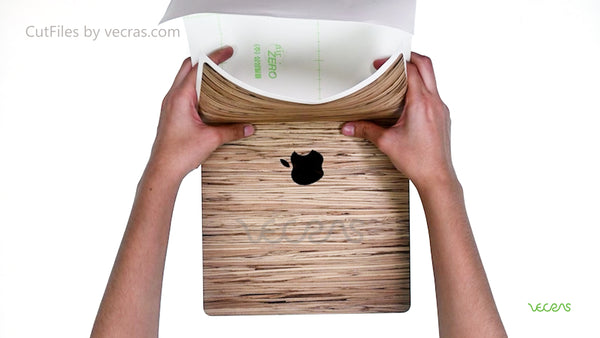
- After application of the skin, use a squeeze to remove excess water and clean it using a Microfiber cloth.

-
Smooth the corner flaps by using a blow dryer and rub all sides with a Microfiber cloth.

Watch the Video Tutorial
Ready to start with your first design?
Get a verified, cut-ready template instead of building one from scratch.
Explore cut files


